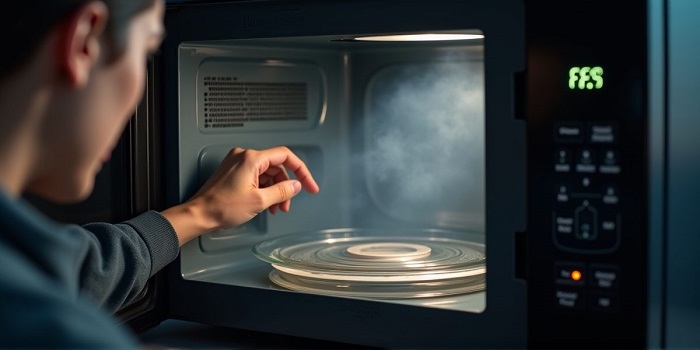
Microwave oven error codes are a self-diagnostic system that alerts you to malfunctions in components, sensors, or control electronics. Sometimes an error appears after a power surge or an accidental reset, but more often, it indicates a specific issue that requires investigation.
The same code may indicate different malfunctions across different brands, so it’s important to consult the instructions from built-in microwave repair for your specific model. Below is a practical guide to help you understand the causes of the code, safely perform basic steps, and determine when you need professional assistance.


Typical codes and what they may mean
The exact meanings vary by manufacturer, but the logic is often similar: door, overheating, and sensor errors are the most common. If the code repeats after a restart, this is a sign of a persistent fault.
What you can do yourself (safe steps)
- Disconnect the power for 1-3 minutes (unplug the power cord). This will reset the controller’s temporary errors.
- Check the outlet and plug: no heating, odor, sparking, or loose contacts.
- Close the door tightly and make sure nothing is blocking the latch (crumbs, seal deformation, or warping).
- Let it cool if the code is related to overheating: open the door, ensure adequate air flow, and clean the ventilation grilles of dust.
- Inspect the panel: if there was moisture or splashes, turn off the appliance and wait until it dries completely.
Important: Do not attempt to disassemble the microwave for a “quick check” – there are components inside that can retain dangerous voltage even after unplugging.
When a technician is needed
- The error code returns immediately after the reset and repeats every time startup.
- There is a burning smell, smoke, sparking, or unusual sounds (humming, cracking, or clicking outside of the cycle).
- The heating does not work even though the tray rotates normally and the light is on.
- The door does not latch or requires force to close.
Preventing Error Codes
To reduce the occurrence of errors, follow these simple rules: do not block the vents, regularly clean the interior and latch area, do not run the oven “idle,” and use suitable cookware. If you experience frequent power surges, a surge protector or stabilizer is useful, especially for inverter-controlled models.
Why errors are often related to the door and overheating
The microwave controller strictly monitors safety: heating is activated only when the door is confirmed to be closed by several switches, and temperature circuits monitor for overheating of the magnetron and power module. Therefore, even a minor mechanical problem or poor ventilation often causes a code to appear on the display.
If diagnostics of the board, door locks, sensors, or power module are required, contacting a built-in microwave repair service can accurately determine the cause and fix it without risk to the user or the appliance.
Most often, the “first” codes are related to safety and basic functionality: a closed door is not confirmed, voltage is unstable, memory failure, problems with the temperature/humidity sensors, or problems with the high-voltage circuits. This prevents the heating system from starting under potentially dangerous conditions.
What does a code appearing immediately after switching on mean?
- Door group codes (door/SE/Err door and similar): the controller does not detect the correct sequence of microswitch activation or detects “sticking” contacts.
- Power and network codes (PF, U/UV/OV and similar): there was a voltage drop/surge, a short-term power outage, unstable power supply at startup.
- Memory/reset codes (F0, EE, E0 and similar): settings storage failure, control board initialization error, incorrect termination of the previous operation.
- Sensor codes (t/TH/HS, H, E-sensor and similar): open/short circuit of the temperature sensor, incorrect readings, overheating signal during self-test.
- Heating unit codes (H97/H98, Inverter, Mag, and similar): The board detects a problem with the inverter, magnetron circuits, or high-voltage section (depending on the model).
- Service/mode symbols (DEMO, TEST): Demonstration mode is enabled or test mode is activated after maintenance.
Summary: Codes that appear immediately after power-on almost always relate to self-diagnostics and indicate a startup lockout due to safety conditions (door), power quality, control errors, or sensor/heating unit malfunctions. The exact meaning varies by model, but the logic is the same: the microwave warns of a problem before heating begins to prevent risk and damage to the appliance.